Product
Foxit PDF SDK for Windows
A powerful, easy-to-use Core API for rendering, viewing, annotation, signing, protecting and managing forms in PDFs.

Trusted by Some of the World's Largest Companies
Take a look at who uses our technology.







The best tools for developers
Fast integration
A powerful, easy-to-use Core API in C++, C#, C, Python and Java. System requirements: Windows XP, Vista, 7, 8 and 10 (32-bit and 64-bit); Windows Server 2003, 2008, 2012 and 2016 (32-bit and 64-bit).
using namespace std;
using namespace foxit;
using namespace foxit::common;
using foxit::common::Library;
using namespace pdf;
using namespace annots;
using foxit::pdf::annots::Line;

// Create a blank document
PDFDoc doc = PDFDoc();

// Add a blank A4 page to the document
PDFPage page = doc.InsertPage(0, 595, 842);

// Create a note annotation
annots::Note note(page.AddAnnot(Annot::e_Note, RectF(10, 350, 50, 400)));

// Set note annotation properties
note.SetIconName("Comment");
note.SetSubject(L"Note");
note.SetTitle(L"Foxit SDK");
note.SetContent(L"Note annotation.");
note.SetCreationDateTime(GetLocalDateTime());
note.SetModifiedDateTime(GetLocalDateTime());
note.SetUniqueID(WString::FromLocal(RandomUID()));

// Add state annotation to note annotation
Note state = note.AddStateAnnot(Markup::e_StateModelReview, Markup::e_StateAccepted);
state.SetContent(L"Accepted set by Foxit SDK");
state.SetTitle(L"Foxit SDK");
state.SetModifiedDateTime(GetLocalDateTime());
state.SetUniqueID(WString::FromLocal(RandomUID()));
state.ResetAppearanceStream();
// Appearance should be reset.
note.ResetAppearanceStream();
cout << "Add a note annotation." << endl;

// Save PDF file
Developing with Foxit
Built for Windows
Foxit PDF SDK for Windows features multiple libraries: C++, C# (.NET and .NET Core), C, Python and Java, built to run in both desktop and server environments, both 32-bit and 64-bit.

C++

C#

Java

Microsoft Visual Studio

ActiveX

Microsoft .NET
Available for both Windows Servers & Desktops
In Desktop
Allow your users to view, navigate, edit, annotate, sign, fill forms, secure, redact, manipulate, mark-up and print PDF documents quickly and easily from your application.
In Server
Programmatically create, merge, split (or perform any of the actions on the left!) millions of PDF documents through our C++, C#, C, Python and Java libraries.
Everything you need in one SDK
Smart Forms
Empower fast, precise, and hassle-free form completion within desktop applications. Provide users with a reliable and intuitive way to fill out and submit PDF forms seamlessly.
Explore MoreDigital Signature
Enable professional signing workflows on Windows with natural ink signature support. Sign PDFs quickly and keep approvals moving without the friction of paper-based processes.
Explore MorePDF Annotations
Equip your Windows applications with advanced PDF markup capabilities for review-heavy workflows. Support precise commenting, editing, and annotation management for professional document collaboration.
Explore MoreMore features
Viewing & rendering
Our core API renders PDF files with high fidelity while maintaining strong desktop performance.
Explore MoreFull-text search
Locate information faster with robust full-text search across PDF content, languages, and encoding types, backed by an SQLite engine that delivers near-instant results, even for repositories on any digital device.
Explore MorePremium extensions
Add-ons
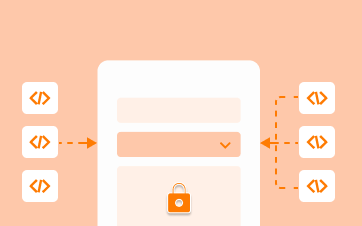
XFA Forms
XFA Forms are XML-based forms wrapped inside a PDF. Securely capture, present, move, process, output, update and print information associated with static and dynamic XFA forms. Simplify your data sharing, transportation and availability with XFA.
Explore More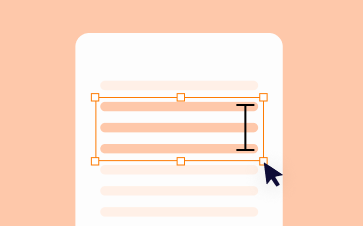
Digital Rights Management
Keep your PDF documents secure by connecting your application and files to Microsoft's Rights Management Services platform natively. Foxit PDF SDK also integrates with your IRM and DRM solution.
Explore More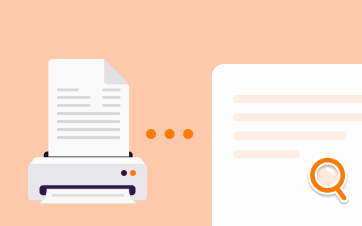
OCR Scanning
Convert scanned documents to searchable text PDFs with our highly accurate enterprise optical character recognition (OCR) software. Designed for scanning, and archiving, our robust functionality outputs 13 different file formats including PDF & PDF/A.
Explore More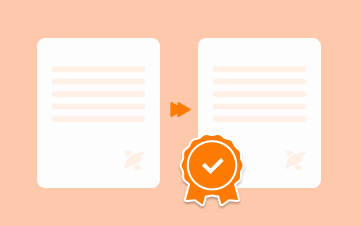
Redaction
Programmatically search and censor sensitive information in a document for legal or security purposes to keep your customer and employee information safe. Click here to see how you can achieve GDPR-compliance.
Explore MorePDF/A
Leverage our conversion and verification technology to turn regular PDFs into PDF/A compliant documents. If you are already working with PDF/A in your processes, proactively verify third-party PDFs you receive are PDF/A compliant.
Explore MoreMore tools
PDF ActiveX SDK
Instantly add PDF Viewing to your ActiveX-based Windows apps. Get to market with our visual programming components. PDF SDK ActiveX is ideal for product managers and developers who want an easy to use and customizable visual component that they can simply drag and drop into their application to quickly create a PDF Viewing application without requiring any PDF expertise.
Explore MoreReady to Develop Your PDF Solution?
Web Demo
Try our SDK for Web in your browser. No download or login required.
Ready to get started?
Licensing tailored to you
Our sales engineers are PDF experts and coders by trade. They'll answer any technical questions, help you build a proof of concept, and create a license that suits your needs.
30-day free trial
Try our advanced PDF technology on your chosen platform(s), completely free, for 30 days.