Product
Foxit PDF SDK for Android
Creating, viewing and editing PDF files on Android devices has never been easier than with our modern, easy-to-use PDF SDK for Android. Our built-in UI Extension component helps ship products quickly, even if your team of developers has limited knowledge of PDF. Powered by Fx Core™ technology, PDF SDK for Android has never been faster.

Trusted by Some of the World's Largest Companies
Take a look at who uses our technology.







The best tools for developers
Fast integration
Using Android Studio developers can use our Android PDF SDK in a variety of languages such as Java, Kotlin or C++. With JavaScript you can use our Cordova or React Native binding libraries for more native development. Foxit provides all the essentials for an Android developer to use our technology with ease. Simply put, our core API makes our product easily accessible for developers of all levels and experience.
import com.foxit.sdk.PDFViewCtrl;
import com.foxit.sdk.common.Constants;
import com.foxit.sdk.common.fxcrt.RectF;
import com.foxit.sdk.common.fxcrt.RectFArray;
import com.foxit.sdk.pdf.PDFDoc;
import com.foxit.sdk.pdf.PDFPage;
import com.foxit.sdk.pdf.TextSearch;
import com.foxit.sdk.pdf.annots.Annot;
import com.foxit.sdk.pdf.annots.Note;
import com.foxit.sdk.pdf.annots.QuadPoints;
import com.foxit.sdk.pdf.annots.QuadPointsArray;
import com.foxit.sdk.pdf.annots.TextMarkup;
import com.foxit.sdk.common.fxcrt.PointF;

// Define path
String pdfpath = "xxx/Sample.pdf";

// Create PDF from scratch
PDFDoc doc = new PDFDoc(pdfpath);
doc.load(null);

// Get first page of document
PDFPage pdfPage = doc.getPage(1);

// Create rectangle
RectF rect = new RectF(100, 100, 120, 120);
Note note = new Note(pdfPage.addAnnot(Annot.e_Note, rect));
note.setIconName("Comment");

// Set border color to blue
note.setBorderColor(0xff0000ff);

// Add some content
note.setContent("Foxit PDF SDK");

// Reset appearance
Developing with Foxit
Built for Android
Requires Android 4.x or newer; 32/64-bit ARM (armeabi-v7a/arm64-v8a) or 32-bit Intel x86 CPU.

Android

Android Studio

Java

C++

Kotlin

Cordova

React
Designed for faster development
Native UI
Our Android PDF SDK is built with developers in mind. We provide a built-in PDF viewer which will half your development while allowing you to customize your viewer to your requirements and brand.
Easy to Integrate
Device-agnostic
Powered by Foxit’s Core Technology
The core technology of Foxit PDF SDK has been around for years and is trusted by a large number of well-known companies. Foxit’s powerful engine makes document viewing fast and consistent across all platforms.
Everything you need in one SDK
Smart Forms
Enable seamless PDF form completion across the Android ecosystem. Experience faster form handling that transforms your workflow and keeps productivity flowing smoothly on the go.
Explore MoreDigital Signature
Bring modern signing experiences to Android apps. Sign PDFs anytime and anywhere, replacing outdated print-and-sign steps with a faster digital workflow.
Explore MorePDF Annotations
Turn Android devices into powerful document review tools. Annotate, comment, and share feedback on PDFs while staying productive on the go.
Explore MoreMore features
Viewing & rendering
Support high-fidelity PDF viewing and rendering with optimized mobile performance to deliver clear and responsive document experiences for Android users.
Explore MoreFull-text search
Support fast full-text search for PDF documents, languages, and encoding types, powered by an SQLite-based search engine that helps users find content quickly in digital repositories on Android devices.
Explore MorePremium extensions
Add-ons
XFA Forms
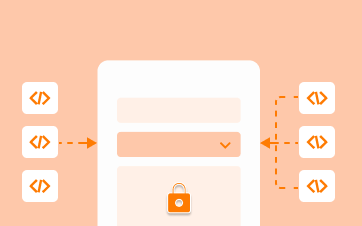
XFA Forms are XML-based forms wrapped inside a PDF. Securely capture, present, move, process, output, update and print information associated with static and dynamic XFA forms. Simplify your data sharing, transportation and availability with XFA.
Explore More
Digital Rights Management
Keep your PDF documents secure by connecting your application and files to Microsoft’s Rights Management Services platform natively. Foxit PDF SDK also integrates with your IRM and DRM solution.
Explore More
Redaction
Achieve full GDPR-compliance by programmatically searching and sensoring sensitive information in your documents for legal or security purposes. Keep your customer and employee information safe.
Explore MoreFunction Specific Products
Foxit Android PDF SDK
Our Android PDF Reader is built with our PDF SDK for Android and free to download from the Google Play Store.
See it in actionReady to Develop Your PDF Solution?
Web Demo
Try our SDK for Web in your browser. No download or login required.
Ready to get started?
Licensing tailored to you
Our sales engineers are PDF experts and coders by trade. They'll answer any technical questions, help you build a proof of concept, and create a license that suits your needs.
30-day free trial
Try our advanced PDF technology on your chosen platform(s), completely free, for 30 days.