Feature
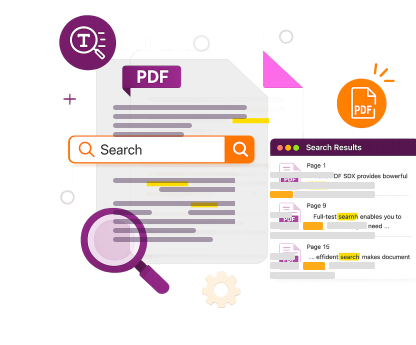
Full-Text Search
Retrieving text from documents isn’t always straightforward, but we make it easy for you.
Trusted by Some of the World's Largest Companies
Take a look at who uses our technology.







The Best Tools for Developers
Test for Yourself
Text search, and text extraction, are two common tasks. Using an index allows a document to be searched quickly as the text extraction phase only needs to be completed once. This allows the search operation to be scaled up to allow searching of large sets of documents.Test out full-text PDF search in your application using this code:
public void renderPage(int index) {
  PDFDoc doc = Common.loadPDFDoc(mContext, mPath, null);
  String outputFilePath = "test.jpg";
  PDFPage pdfPage = Common.loadPage(mContext, doc,
    index, PDFPage.e_ParsePageNormal);

  // Create the bitmap and erase its background.
  Bitmap bitmap = Bitmap.createBitmap((int)pdfPage.getWidth(),
    (int)pdfPage.getHeight(), Bitmap.Config.ARGB_8888);
  bitmap.eraseColor(Color.WHITE);

  Matrix2D matrix = pdfPage.getDisplayMatrix(0, 0,
    (int)pdfPage.getWidth(), (int)pdfPage.getHeight(),
    Constants.e_Rotation0);

    Renderer renderer = new Renderer(bitmap, true);

    // Render the page to bitmap.
    Progressive progressive = renderer.startRender(pdfPage, matrix,
      null);
    int state = Progressive.e_ToBeContinued;
    while (state == Progressive.e_ToBeContinued) {
        state = progressive.resume();
    }
    progressive.delete();
    if (state == Progressive.e_Error) {
      // Error
      return;
    }

    // Save the render result to the jpeg image
    if (false == Common.SaveImageFile(bitmap,
      Bitmap.CompressFormat.JPEG, outputFilePath)) {
        // Failed to save
        return;
      }

    renderer.delete();
    pdfPage.delete();
    Common.releaseDoc(mContext, doc);
  }
}
Essential Capabilities
Never Lose Information Again
Search every single piece of text in your document and customize the engine to account for common issues, such as split words, character ligatures, and phrases split between lines.
Search Collections of Documents, Metadata, and Annotations in Seconds
Document tags can outline topics discussed in a document or organize by department name, letting you search hundreds of files quickly and accurately. You can also set, remove, and edit all document metadata programmatically.
Redaction Made Simple
Foxit PDF SDK turns the manual, multi-hour task of searching and deleting customer information across all your documents into a quick search and remove, while maintaining the integrity of the original document.
Read MoreMore Features
Search text string across any documents
Highlight all string instances
Navigate previous/next results
Search meta information
Complete file search in seconds
Keyword, string, or phrase search
Extras
Industry Use Cases

Legal
Our full-text search ensures that no stone is left unturned. All instances of a chosen word or phrase will be returned in a search, painting a complete picture of which files and documents need review.
Learn More
GDPR Compliance
GDPR allows your European customers to request all personally identifiable information you hold on them. How you would search all the information you hold on any given customer across all your documents, if you were to get a request like that? With Foxit PDF SDK, you can search, select and redact all instances of your customers’ information across all documents quickly and securely.
GDPR ComplianceReady to Develop Your PDF Solution?
Web Demo
Try our SDK for Web in your browser. No download or login required.
Ready to get started?
Licensing tailored to you
Our sales engineers are PDF experts and coders by trade. They'll answer any technical questions, help you build a proof of concept, and create a license that suits your needs.
30-day free trial
Try our advanced PDF technology on your chosen platform(s), completely free, for 30 days.